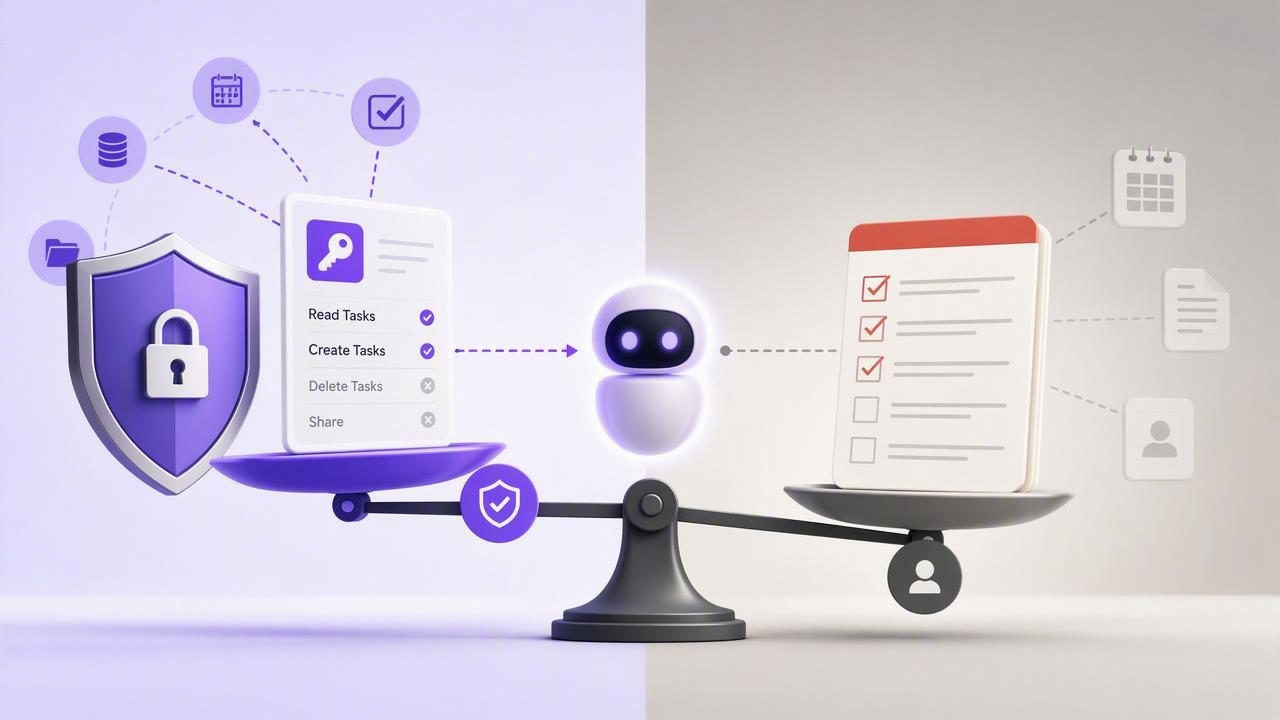
AI assistants can now do more than suggest a daily plan. With the right connection, an agent can read tasks, identify overdue work, create follow-ups, update priorities, and help maintain a shared task list. That capability is useful, but it creates an important question: how much access should an AI agent receive?
When comparing revocable MCP access vs Todoist, the key issue is not whether a traditional to-do app is useful. Many people rely on established task managers for reminders, projects, and recurring routines. The difference is whether the system was designed for secure collaboration between humans and AI agents, especially when agents need limited, temporary, and auditable access to task data.
This guide explains the practical differences between conventional task-manager integrations and revocable Model Context Protocol (MCP) access. It also outlines how to choose a safer setup for AI task management across iPhone, iPad, and Mac.
What Is Revocable MCP Access?
The Model Context Protocol, commonly called MCP, is a standard that enables AI systems to connect with external tools and data sources. In a task management context, an MCP server can expose approved actions such as listing tasks, creating tasks, adding notes, or completing items.
Revocable MCP access means an agent connects using a credential that can be individually disabled when its work is done. Rather than giving an AI agent a broad, long-lived account login, you can issue a dedicated token for a specific agent, workflow, or project.
A well-designed revocable access model generally includes:
- Separate tokens: Each AI agent receives its own credential instead of sharing one account password or API key.
- Permission levels: A token can be restricted to read-only access or approved for read-and-write actions.
- Immediate revocation: The owner can disable a token without changing their main account credentials.
- Clear scope: Access can be limited to the functions and data needed for the assigned job.
- Human control: The user remains responsible for reviewing outcomes and deciding what an agent is allowed to change.
This structure follows the security principle of least privilege: give a tool only the minimum access required to complete its task.
How Traditional Todoist Access Usually Differs
Todoist is a widely used task management platform with projects, labels, filters, priorities, due dates, reminders, and integrations. It can be a strong choice for personal organization and team task tracking. Like many established SaaS platforms, its integrations may rely on account-level authorization, API credentials, automation services, or connected third-party applications.
That model can work well for predictable integrations. For example, a calendar automation may create a task when a meeting is scheduled, or an email workflow may turn starred messages into reminders. However, AI agents introduce a different pattern: they can make many decisions, interpret natural-language requests, and act across a changing set of tasks.
When an AI agent needs access to a conventional task manager, users should carefully consider whether the integration grants broad access to all projects, tasks, comments, or account data. A connected application may be convenient, but convenience should not obscure the access being delegated.
| Consideration | Revocable MCP Access | Traditional Task App Integration |
|---|---|---|
| Credential model | Dedicated token per agent or workflow | Often account-level authorization or shared API credential |
| Revocation | Disable one agent token independently | May require disconnecting an app or rotating broader credentials |
| Permissions | Can distinguish read-only from read-and-write access | Permission granularity varies by platform and integration |
| AI workflow fit | Designed around tool calls and agent collaboration | Often designed first for people and conventional automations |
| Risk containment | Limits impact if one agent or token is no longer trusted | Depends on the scope granted to the connected application |
Why Revocable Access Matters for AI Task Management
AI task management is not simply automation with a conversational interface. Agents can interpret ambiguous instructions, summarize notes, prioritize work, and decide which follow-up task should exist. Those abilities are valuable, but they also mean an agent may have more opportunities to make unwanted changes.
Imagine asking an agent: “Review my work tasks and prepare tomorrow’s plan.” A read-only agent can inspect due dates, priorities, and incomplete tasks, then provide recommendations. It does not need the ability to complete tasks, change dates, or delete items.
Now consider a different instruction: “Turn these meeting notes into action items in my Client Launch list.” That is a legitimate read-and-write workflow. But it should be handled by a token created for that particular purpose, not by an all-powerful credential that remains active indefinitely.
Good AI delegation is not about giving an agent maximum control. It is about granting enough control to complete a clearly defined job.
Individual revocable tokens also make it easier to separate agents. You might use Claude for research summaries, ChatGPT for planning conversations, Hermes Agent for a recurring workflow, and OpenClaw for an approved operational process. Separate credentials mean one agent’s access does not automatically become another agent’s access.
Read Only vs Read and Write Permissions
The most important permission decision is often simple: should the agent only see tasks, or should it be able to change them?
When Read Only Access Is Enough
Read-only permissions are ideal for analysis, planning, reporting, and review. They support useful workflows without allowing an agent to alter your source of truth.
- Summarizing overdue tasks and upcoming deadlines
- Creating a daily planning recommendation
- Finding tasks marked high priority but missing due dates
- Reviewing project status before a team meeting
- Identifying tasks that may be blocked by dependencies
For most first-time AI integrations, read-only access is the sensible default. It lets users assess the quality of an agent’s recommendations before authorizing changes.
When Read and Write Access Is Appropriate
Read-and-write access is useful when the task is structured, repeatable, and easy to review. For example, an agent may create subtasks from an approved project brief, add notes from a meeting transcript, or reschedule routine follow-ups based on explicit rules.
Before enabling write permissions, define guardrails. Specify the lists an agent may use, the type of tasks it can create, and what it must never do. For example:
Allowed: Create tasks in “Content Operations”
Allowed: Add notes to existing tasks in that list
Not allowed: Delete tasks
Not allowed: Change priority 1 tasks
Not allowed: Access personal or finance lists
Even when an MCP tool offers write access, maintain a habit of reviewing the task list after an agent run. A short review prevents small misunderstandings from becoming a cluttered or inaccurate plan.
A Practical AI Delegation Workflow
A secure workflow does not need to be complicated. The following process balances helpful automation with clear human oversight.
- Define the job. Describe one outcome, such as preparing a weekly review or creating action items from notes.
- Choose the smallest permission set. Start with read-only access whenever recommendations are sufficient.
- Create a unique agent token. Do not reuse the same credential across unrelated agents or experiments.
- Set operational boundaries. Tell the agent which lists, task types, and actions are in scope.
- Review the output. Check created tasks, changed due dates, and priority adjustments before relying on them.
- Revoke access when finished. Disable the token after a temporary project, test, contractor engagement, or agent workflow ends.
This approach is especially useful for people managing tasks from multiple Apple devices. Your iPhone may be where you capture reminders, your iPad where you plan projects, and your Mac where you review larger workloads. The task system should remain consistent while agent access stays intentionally controlled.
Questions to Ask Before Connecting an AI Agent
Whether you use Todoist, another to-do list, or an MCP-native task manager, ask these questions before authorizing an integration:
- What exact data can the agent read?
- Can it create, edit, complete, or delete tasks?
- Does it have access to every list, or only a defined workspace?
- Can I revoke its access without affecting other integrations?
- Is the credential unique to this agent?
- Will I be able to tell which agent performed a task action?
- Does the workflow still work if I grant read-only access?
These questions turn security from an afterthought into part of daily planning. They also help prevent a common mistake: granting broad access because it is faster than configuring a limited connection.
Choosing Between Todoist and an MCP-Native Task Manager
The choice depends on your needs. If your primary goal is a familiar personal or team task manager with mature conventional workflows, Todoist may fit well. If your priority is delegating task work to multiple AI agents while retaining fine-grained, revocable control, an MCP-native approach may be a better match.
The strongest setup is one where your task list remains simple for humans while access remains deliberate for agents. Tasks should still have understandable titles, notes, due dates, priorities, and subtasks. AI should enhance that system, not make it opaque.
For users who want a native iPhone, iPad, and Mac planner built around shared human-and-agent task workflows, TaskPort provides separate revocable MCP tokens with read-only or read-and-write permissions. Whatever tool you choose, start small, apply least-privilege permissions, and treat every agent connection as a delegation decision rather than a permanent trust decision.
