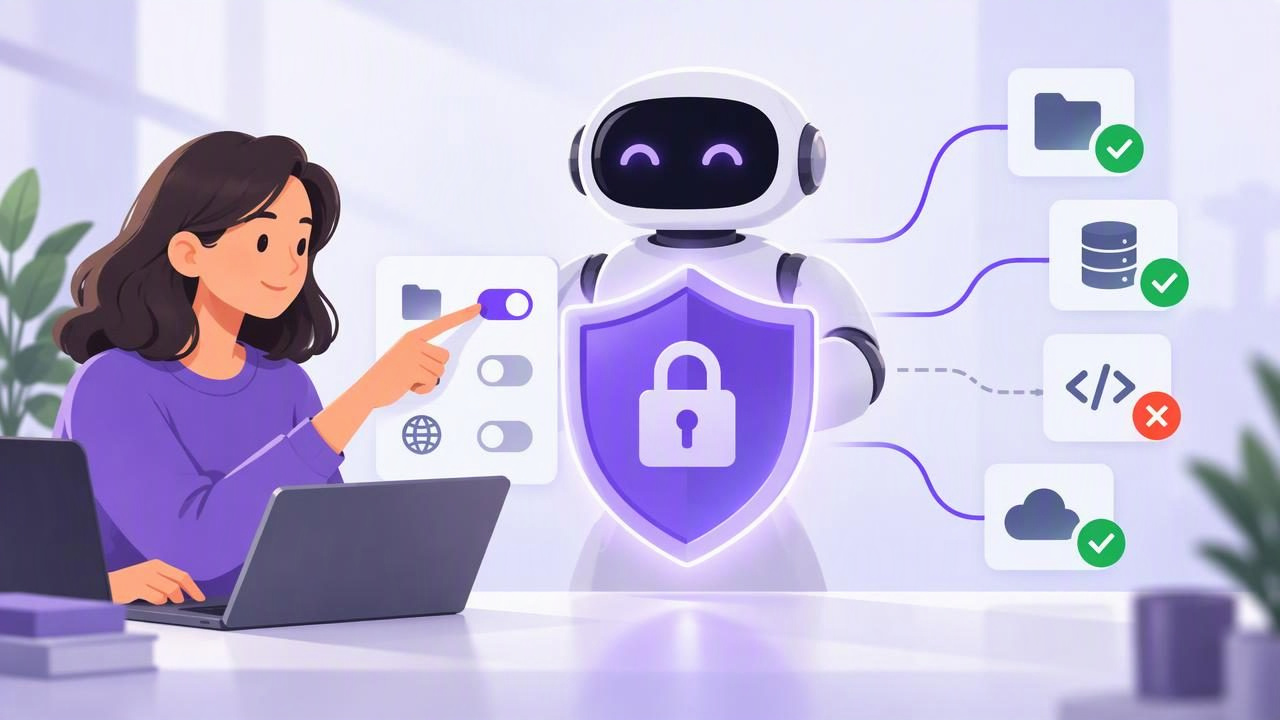
Connecting an AI agent to your task list can save time: an agent might summarize overdue work, draft a plan, or add a task you dictate. But access also creates a security question: what can the agent see or change, and how quickly can you stop it? That is where revocable MCP access matters.
MCP, or Model Context Protocol, is a way for compatible AI tools to connect to external services. In a task-management setup, an access token can let an authorized agent interact with tasks through an MCP connection. For beginners, the safest approach is not to grant broad access and hope for the best. Choose the least powerful permission that supports the job, protect the token, and know how to revoke it.
What does revocable MCP access mean?
An MCP token is a credential that an agent uses to authenticate to a service. Depending on the service and the token’s permissions, it may allow the agent to read information, make changes, or both. Revocable access means you can invalidate that credential when the agent no longer needs it, when you suspect it has been exposed, or when you want to end the connection.
Revocation is an important control, but it is not a time machine. It can stop future requests made with that token; it cannot necessarily undo changes already made, erase information an agent has already seen, or remove copies saved elsewhere. Treat revocation as one part of a safe workflow—not a substitute for careful permission choices and review.
Start with the smallest permission that works
Before connecting an agent, describe the exact job you want it to do. Then ask whether it needs to read tasks, change tasks, or both. Reading an existing list to prepare a daily summary usually does not require write permission. Creating a new task or editing a due date does.
- Read Only: Suitable for summarizing tasks, identifying overdue items, or suggesting priorities without editing your list.
- Read and Write: Needed when an agent must create, update, or otherwise change tasks. Use it only for workflows where those changes are useful and expected.
Permission labels and exact behavior depend on the service, so check its documentation before connecting. Do not assume that an agent’s natural-language instructions limit what its token can do. If the credential permits changes, a mistaken instruction or unexpected agent behavior may result in changes.
Understand the difference between a filter and a security boundary
A common beginner assumption is that telling an agent to work with one list makes its access exclusive to that list. A filter can help focus a request, but it is not automatically an authorization control. For example, a list_id filter may specify which list to return in a particular request; it does not, by itself, restrict what an account-scoped token is authorized to access.
This distinction matters when tasks contain private notes, personal appointments, or work for different clients. Check the actual permission model of the service. If access is account-scoped, assume the token may reach the information allowed by its account-level permission, even if your intended workflow focuses on only one list. Never rely on an undocumented endpoint, a prompt, or a request filter to enforce access restrictions.
Use a separate token for each agent or purpose
Avoid treating one long-lived credential as a universal key for every AI tool. Where a service supports it, use separate tokens for separate agents or distinct workflows. For instance, you might connect one authorized agent for read-only weekly summaries and another for a task-creation workflow that needs read-and-write access.
Separate credentials make it easier to identify which connection to disable if you stop using an agent or discover a problem. They also reduce the temptation to share one token among people, scripts, and services. A token should represent a specific integration—not become a substitute for a shared account password.
Do not create extra tokens if the service does not support that arrangement. Instead, follow the documented options it provides and keep a simple record of the agent, purpose, permission, and date you connected it. Never record the token value in that inventory.
Protect the token like a password
A token can grant access without the agent knowing your account password, but that does not make the token harmless. Anyone or anything that obtains a usable credential may be able to act with its permissions. Keep it out of public code repositories, screenshots, shared documents, support messages, and ordinary chat prompts.
- Use the integration’s intended secure credential or configuration method where available.
- Do not paste a live token into a conversation to ask an AI to configure itself.
- Limit access to the device, account, or secret store where the credential is kept.
- Check that copied configuration examples do not include a real token before sharing them.
- If you believe a token was exposed, revoke it promptly and review recent task changes.
For example, if an agent’s setup instructions ask you to add a token to a local configuration, follow the service’s official guidance for that integration and protect the configuration file. Do not copy an example containing a placeholder and assume it is safe to replace the placeholder in a public gist or shared ticket.
Give write access a clear job and review point
Read-and-write access is useful when an agent can take a defined action, such as adding a task after you approve a plan. Make the expected action concrete. “Add a task called ‘Send revised proposal’ with a Friday due date” is easier to verify than “organize my work.” Keep task descriptions specific, and make sure the agent has enough context without including unrelated sensitive details.
For a first run, choose a low-risk example. Ask the agent to add one clearly named task to the appropriate workflow, then inspect the title, notes, due date, and priority. This reveals whether your instructions and connection behave as expected. It does not prove that every future request will be safe, so continue reviewing consequential edits.
Before authorizing write access, consider what a mistake would mean. A duplicate reminder may be easy to fix; changing a deadline that another person relies on may not be. If the service offers only account-scoped permissions, consider that scope when deciding whether write access is appropriate at all.
Know when and how to revoke access
Revoke a token when you stop using an integration, change agents, see unexpected activity, or suspect the credential has been copied. Use the service’s documented token-management controls. Do not assume that disconnecting an AI application automatically invalidates every token it previously received; verify the credential itself is revoked when that is the required action.
- Identify which token belongs to the agent or workflow in question.
- Use the service’s documented control to revoke or disable that token.
- Check the task list for unexpected additions or edits and correct them if needed.
- Create a replacement only if the connection is still needed, using the least permission that supports it.
- Update the integration’s secure configuration and remove the old credential from places you control.
Removing a token from one configuration file is not the same as revoking it at the service. Likewise, revocation may not delete information that an agent accessed earlier. If you are responding to a suspected exposure, review the service’s security guidance and consider what other systems may have received the credential or task data.
A beginner example: daily planning with an agent
Imagine you want an agent to help plan your Tuesday. At first, connect it with read-only access and ask it to summarize the tasks already due that day, identify conflicts, and suggest a short order of work. Review the result yourself and make any changes manually. This lets you learn whether the agent’s summary is useful without giving it authority to edit your planner.
Later, you may want it to add a task when you approve a suggestion. If the service’s documented permissions allow it, create a separate connection with read-and-write permission for that purpose. Give one explicit instruction, inspect the new task, and keep the token protected. If you no longer want the agent making changes, revoke that credential rather than relying only on a reminder in the prompt that it should stop.
This example has limits: read-only access still exposes the information available to that token, and a list filter does not necessarily narrow authorization. Write permission can affect more than the single task you have in mind if the service grants account-level access. Confirm both the scope and the permission model before proceeding.
Build a small access review habit
Secure agent access does not require a complicated security program. A short review when you connect an agent—and whenever its role changes—can answer four useful questions: What is the agent meant to do? What permission does its token have? Where is the token stored? How will you revoke it?
Keep the agent’s role narrow, review actions that matter, and remove access when it is no longer needed. These habits make it easier to benefit from AI task management while keeping people responsible for the decisions that affect their work. For a concrete example of account-scoped permissions and token choices, TaskPort’s agent permission documentation explains the available access options and their limitations.
