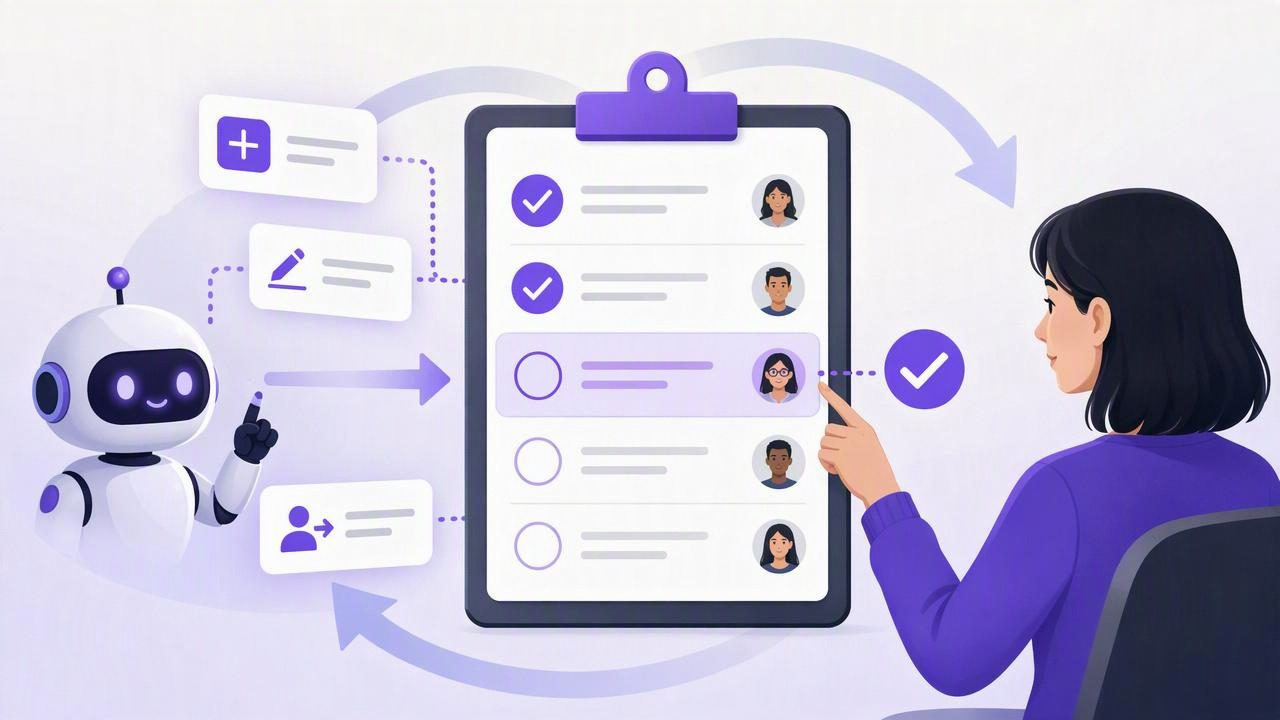
AI agents can help turn conversations, emails, project notes, and meeting summaries into actionable work. They can identify follow-ups, suggest deadlines, draft task descriptions, and maintain a more complete list of what needs attention. But efficient task creation is not the same as autonomous decision-making.
To keep human approval in the loop with a simple to-do list app, treat the task list as a review surface—not merely a destination where an agent sends work. The agent can prepare proposed tasks, while a person decides what is truly important, what should be assigned, what needs a deadline, and what should not be done at all.
This approach preserves the speed of AI task management without giving up judgment. It is especially useful when tasks involve client commitments, team priorities, budgets, personal information, or decisions that could create unnecessary work.
Why Human Approval Still Matters in AI Task Management
An AI agent works from the information available to it. It may recognize an action item in a meeting note, but it cannot always know whether that action has already been completed, whether it is politically sensitive, or whether it deserves priority over existing commitments.
For example, imagine an agent reviewing notes from a product meeting. It creates these tasks:
- Send revised onboarding copy to legal.
- Schedule a customer interview.
- Prepare a launch announcement draft.
- Investigate a reported login issue.
All four may sound reasonable. Yet a manager may know that legal review is not needed until next month, the customer interview has already been scheduled, the launch date is uncertain, and the login issue should be escalated immediately. A human reviewer adds the context that turns a plausible task list into a reliable plan.
Human approval is not a bottleneck when it is designed well. It is a quality-control step that prevents an agent from silently converting assumptions into commitments.
The Core Principle: Propose, Review, Then Commit
The simplest approval workflow has three stages:
- Propose: An AI agent identifies possible tasks and records enough context for a person to assess them.
- Review: The human accepts, edits, postpones, combines, delegates, or rejects each proposed item.
- Commit: Only approved tasks receive final priorities, due dates, owners, or downstream actions.
This distinction is important. A task that says “follow up with the vendor” is a suggestion. A task assigned to a teammate with a Friday due date is a commitment. Your workflow should make it easy to see which items are still suggestions and which are approved work.
A useful rule: Let AI accelerate task capture and organization, but reserve commitments, external promises, and priority trade-offs for human approval.
Build an Approval-Friendly Simple To-Do List
You do not need a complicated project-management system to create a strong review process. A simple to-do list app can support human oversight when the list structure is clear and consistent.
1. Create a dedicated review list
Start with a list named something unambiguous, such as AI Review, Needs Approval, or Inbox for Review. This is where agent-created suggestions go before they enter your daily plan.
Keep this list separate from your personal daily tasks. When proposed work appears beside your confirmed priorities, it is easy to mistake an unreviewed suggestion for an agreed commitment.
2. Require context in every proposed task
A task title alone rarely provides enough information for a fast decision. Ask the agent to include a short note explaining why the task exists and where the request came from.
Task: Confirm launch email audience
Note: Proposed after the marketing meeting. The group discussed
sending an announcement to trial users, but no final audience was chosen.
Suggested next step: Review audience options with marketing lead.
With this context, the reviewer can approve the task, revise its scope, or reject it without reopening the original meeting transcript or conversation.
3. Use priorities only after review
AI can suggest a priority, but its suggestion should not automatically override your planning system. Priorities reflect trade-offs: a high-priority task may displace another task, create an interruption, or require someone else’s time.
A practical pattern is to leave agent-created tasks without a final priority. During review, assign a priority only if the task is accepted. If your app uses labels or symbols, you can also mark proposals clearly:
- Proposed: Needs a decision.
- Approved: Ready to plan or delegate.
- Waiting: Valid task, but blocked by information or a decision.
- Rejected: Not needed, duplicated, or out of scope.
4. Avoid automatic due dates for uncertain work
Due dates are powerful because they shape daily planning and reminders. They should represent a real deadline, a deliberate target date, or a scheduled review—not an agent’s guess based on wording such as “soon” or “before launch.”
Instead of allowing a guessed deadline to become final, use one of these choices:
- Leave the due date blank until a human decides.
- Set a review date, such as “review this proposal tomorrow.”
- Add the source deadline in the note, marked as unconfirmed.
This prevents your reminders from becoming noisy and helps preserve trust in your daily planner.
A Concrete Human-in-the-Loop Workflow
Consider a consultant who uses an AI agent to process client call notes every afternoon. The agent can create useful follow-up suggestions, but the consultant needs to control client promises and workload.
| Step | Agent action | Human approval action |
|---|---|---|
| 1. Capture | Extracts possible follow-ups from call notes. | Checks that the source notes are complete. |
| 2. Propose | Adds tasks to the AI Review list with notes. | Reads titles and supporting context. |
| 3. Validate | May suggest deadlines or priorities. | Confirms scope, urgency, and whether work is necessary. |
| 4. Plan | Leaves approved tasks available for planning. | Moves accepted tasks into the correct list and assigns due dates. |
| 5. Follow through | Can summarize open work when asked. | Completes tasks and communicates externally. |
After one call, the agent proposes: “Send pricing options to Client A by Thursday.” The consultant sees in the note that pricing was discussed, but the client asked for options only after an internal budget conversation. The consultant changes the task to: “Check whether Client A wants pricing options after budget review,” removes the Thursday due date, and adds a reminder to revisit it next week.
The agent saved time capturing the idea. The human prevented an inaccurate promise.
Set Clear Boundaries for Agent-Created Tasks
Approval works best when you decide in advance what an agent may do independently and what always needs review. These boundaries can be simple.
| Activity | Recommended default | Reason |
|---|---|---|
| Create draft tasks from notes | Allowed | Low-risk capture of potential work. |
| Edit task wording for clarity | Usually allowed | Helpful when the original intent is retained. |
| Set final priority | Human approval required | Priorities involve business and personal trade-offs. |
| Set firm due dates | Human approval required | Dates can create pressure and commitments. |
| Assign work to another person | Human approval required | Delegation affects accountability and capacity. |
| Mark tasks complete | Human approval required | Completion should reflect verified outcomes. |
These rules are particularly valuable for shared task lists. A task can look complete because an email draft exists, while the actual work—sending it, obtaining approval, or receiving a response—remains unfinished.
Use Least-Privilege Access for Safer Agent Workflows
Human approval is not only a planning habit; it is also a permissions decision. If an agent only needs to summarize open tasks or identify overdue work, it may need read-only access. If it needs to create draft tasks, it needs write access—but that access should still be paired with a review process.
When using MCP task managers or other connected agent workflows, give each agent only the access needed for its current role. Use separate revocable credentials where available, and remove access when an experiment, project, contractor relationship, or agent workflow ends.
It is also important to understand the scope of any access token. A list filter may help an agent focus its work, but it is not necessarily an authorization boundary. Do not assume that an agent is restricted to one list unless the product explicitly documents that restriction. Keep sensitive task details, private notes, and broad editing rights in mind before granting read-and-write permissions.
Create a Fast Daily Approval Ritual
The best review workflow is short enough to happen consistently. Add a five- to ten-minute approval session to your daily planning routine, ideally before you select the day’s priorities.
- Open the review list.
- Read each proposed task and its note.
- Accept, edit, defer, combine, or reject it.
- Add a due date only when there is a real deadline or chosen target.
- Move approved items into the appropriate project or daily list.
- Delete duplicates and stale suggestions.
If many proposals accumulate, review by risk first. Start with tasks involving customers, money, legal review, sensitive information, or commitments to colleagues. Lower-risk housekeeping tasks can wait until you have time.
Common Mistakes That Undermine Human Approval
- Treating every agent-created task as mandatory. Suggestions are inputs, not instructions.
- Using vague titles. “Follow up” does not explain the desired outcome or source.
- Allowing automatic deadline guesses. Unverified due dates create misleading reminders.
- Reviewing only once a week. Delayed review can make proposals stale or cause missed follow-ups.
- Giving broad write access for a narrow job. Permission scope should match the agent’s real task.
- Skipping a rejection option. A healthy workflow makes it easy to say no to unnecessary work.
Make AI Assistance More Useful, Not More Controlling
A simple to-do list app becomes more valuable when it helps you distinguish between captured ideas and deliberate commitments. AI can reduce the friction of collecting tasks, preserving notes, and spotting follow-ups. Humans remain responsible for deciding what deserves attention and what can be safely ignored.
For teams and individuals connecting compatible AI agents through MCP, TaskPort’s documented permission options explain the difference between account-scoped Read Only and Read & Write tokens. Whichever tool you use, combine appropriate access with a visible review list, clear task context, and a daily approval habit.
That combination keeps your system practical: the agent helps you see more, while you stay in control of what actually gets done.
