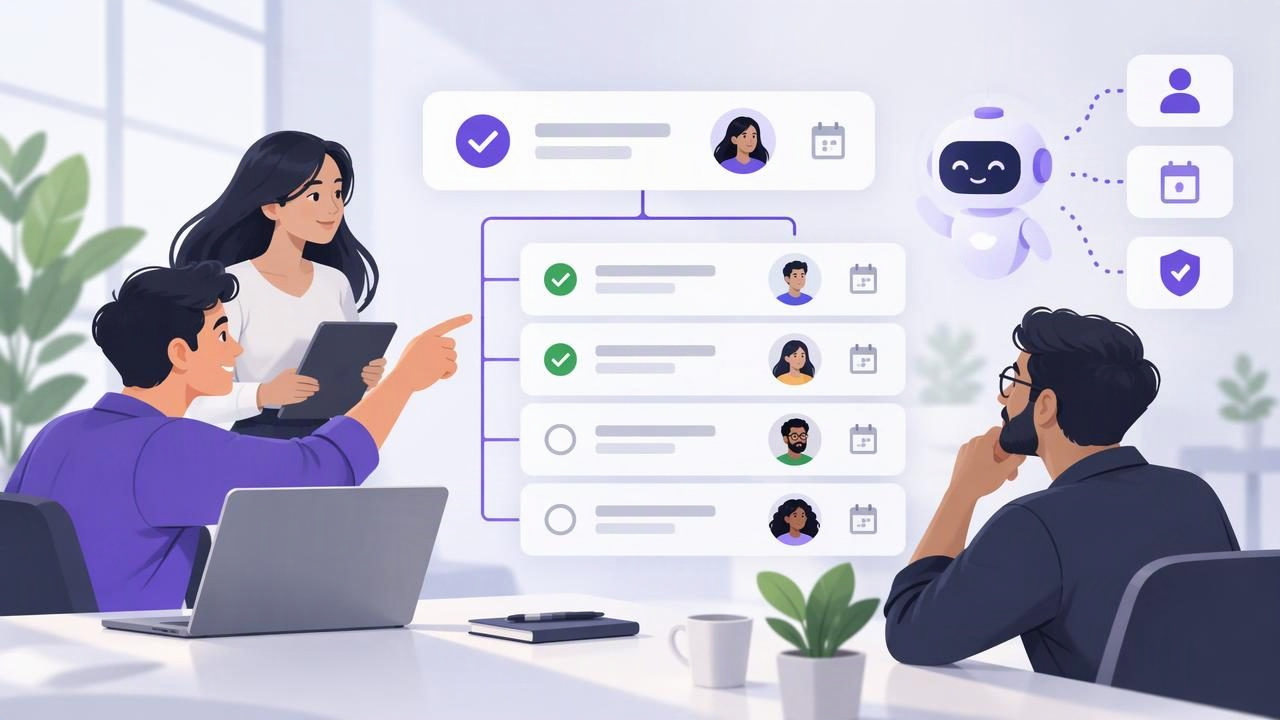
The best task delegation app is not simply the one with the most features. It is the one that makes it easy to turn a goal into clear, manageable work, assign ownership, track deadlines, and see what still needs attention. Subtasks are central to that process: they show how a larger responsibility will get done without losing sight of the outcome.
When comparing apps, look for a task structure that is simple enough for daily planning but detailed enough to support handoffs. If you also delegate work to an AI agent, consider what the agent can access and change—not just whether the app offers an integration. This guide explains what to look for, how to structure a delegated task, and where subtasks and permissions have limits.
What makes a task delegation app useful?
A practical app should help people answer four questions at a glance: What needs to happen? Who owns it? When is it due? What does completion involve? A parent task can capture the desired result, while subtasks make the next actions explicit. Notes provide context, and priorities and due dates help people decide what to work on first.
The app should also make updates easy to find. If the task lives in one place but instructions, progress, and deadlines are scattered across messages, delegation creates more coordination work instead of less. A shared task list can reduce that friction by giving participants a common view of the work. For AI task management, the same principle applies: people and authorized agents need a defined shared source of truth.
Features to compare before choosing
| What to check | Why it matters |
|---|---|
| Parent tasks and subtasks | Organize a deliverable into visible actions without treating every detail as a separate project. |
| Ownership and handoffs | Make clear who is responsible for each action and who should review the result. |
| Notes and task context | Keep instructions, links, and constraints near the relevant work. |
| Due dates and priorities | Help people plan around timing and importance rather than relying on memory. |
| Shared access and permissions | Set appropriate boundaries when another person or an AI agent works with the list. |
| Device fit | Check that the app suits the devices and planning habits of the people doing the work. |
Do not assume that a feature label tells the whole story. For example, an app may support subtasks but make them hard to review, or offer agent access without letting you distinguish read-only work from changes. Test the workflow that matters to you: create a task, add a few subtasks, set a date and priority, and check whether another participant can understand the assignment without asking for missing details.
How to organize a delegated task with subtasks
Start with the outcome, not a vague activity. “Work on launch” does not define what success looks like. A more useful parent task is “Prepare the launch email for review.” Then add a short sequence of actions that can be completed and checked independently.
Example: prepare a launch email
- Parent task: Prepare the launch email for review.
- Subtask 1: Confirm the announcement date and audience.
- Subtask 2: Draft the subject line and email copy.
- Subtask 3: Check product details against the approved brief.
- Subtask 4: Share the draft with the reviewer before the agreed deadline.
Put the intended result and important constraints in the parent task’s notes. For example: “Use the approved feature description; do not promise a release date that has not been confirmed.” Give each subtask a clear verb and one observable result. If a step has a different owner or deadline, make that distinction explicit using the app’s available task fields or notes. Avoid splitting work into tiny fragments that are harder to manage than the original task.
Before handing it off, check that the person or agent has enough information to start, that the due date is realistic, and that the review step is included. A task is not fully delegated just because someone has been named. The assignee needs a defined scope, a way to report progress, and clarity about what requires approval.
When subtasks help—and when they do not
Subtasks work well when a larger outcome has several distinct steps, when progress needs to be visible, or when work passes between people. They are especially helpful for recurring processes such as preparing a weekly report: gather source figures, check anomalies, write a summary, and submit it for review.
They are less useful when a task is already small and self-contained. Adding a checklist for every routine action can make a to-do list noisy and slow to maintain. They can also create false certainty: a row of completed subtasks does not prove that the parent outcome is correct. Keep the parent task open until the result has been reviewed against its goal.
Use enough detail to guide execution, but not so much that the plan becomes a script for every minor decision. If a subtask is a meaningful deliverable with its own owner, deadline, or dependencies, it may deserve to be a separate task. Choose the simplest structure that keeps responsibility and progress understandable.
Delegating tasks to AI agents safely
AI agents can help with bounded work such as organizing task information, drafting a first pass, or updating task details when authorized. The right workflow depends on the agent’s capabilities and the permissions granted to it. An integration or connection alone does not guarantee that an agent can perform every action, so check the applicable documentation and test a low-risk task first.
Apply least-privilege access: give an agent only the level of access it needs. Read Only access may suit a workflow where the agent reviews tasks and suggests next steps without changing them. Read and Write access may be appropriate when the agent is expected to create or update tasks, but it also means changes can be made within the account-level permissions granted. Keep review and approval steps for consequential work.
For MCP task managers, pay attention to token scope and revocation. Account tokens are account-scoped; filtering results by a list identifier is not an authorization boundary. A list filter can help limit the data returned in a workflow, but it should not be treated as a security control that restricts what a token is allowed to access. Use separate, revocable tokens for different agents where supported, choose Read Only or Read and Write deliberately, and revoke access when it is no longer needed.
For instance, an agent asked to draft the launch email might read the parent task and its notes, then propose copy in a review step. If it is authorized to write, it could update a task with a draft or status, but a human should still verify product claims and approve the final message. Do not give an agent broader write access merely because one task needs an update, and do not assume that subtasks create separate permission boundaries.
A simple daily planning routine for delegated work
- Choose the outcomes: Identify the few parent tasks that matter today.
- Clarify next actions: Add only the subtasks needed to make progress and expose handoffs.
- Set timing: Use due dates for real deadlines and priorities to distinguish what needs attention first.
- Review delegated work: Check updates and unblock tasks instead of duplicating the assignee’s work.
- Close the loop: Verify the parent outcome, record any useful note, and decide what moves forward.
This routine works whether the assignee is a colleague or an AI agent. It also helps keep a simple to-do list from becoming a collection of unowned intentions. A daily planner should make the next decision easier, not require constant rearranging.
Questions to ask before settling on an app
- Can I see parent tasks and their subtasks without losing the overall goal?
- Can I add useful notes, priorities, and due dates where I need them?
- Can collaborators understand ownership and review expectations?
- If AI agents are involved, are their permissions documented and revocable?
- Does the app fit the devices and routines I already use?
- Can I keep the system useful without creating unnecessary task detail?
There is no universal best task delegation app for every team. A solo professional may value fast daily planning, while a small team may need clearer handoffs, and an AI-assisted workflow needs careful access controls in addition to good task structure. Compare apps against the work you actually delegate, then judge whether the task, subtasks, deadlines, and permissions stay understandable as work changes.
For people who want a shared task space for themselves and authorized agents, TaskPort’s agent permission documentation explains its Read Only and Read and Write options and account-scoped token model. Whatever app you choose, treat subtasks as a way to clarify execution—not as a substitute for ownership, review, or sound permission boundaries.
