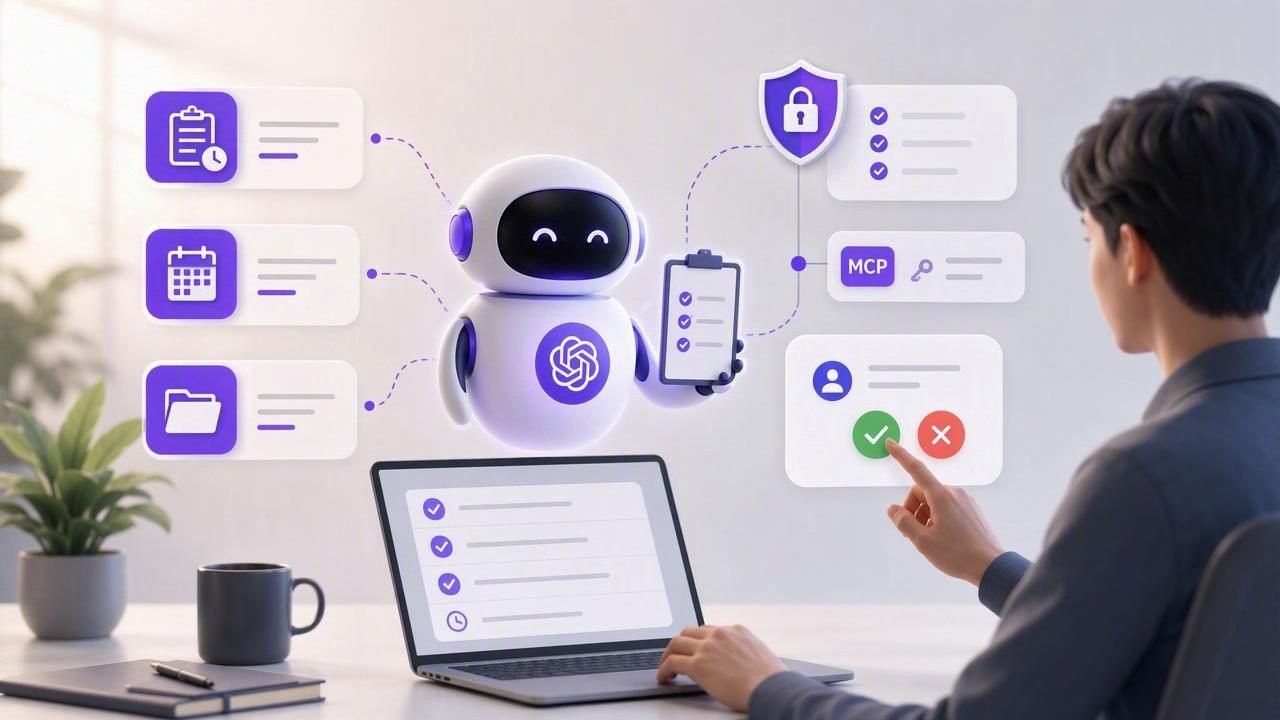
ChatGPT is excellent at turning a vague goal into a clear plan. It can break down projects, suggest priorities, draft follow-up messages, and identify next steps in seconds. But a useful plan is only the beginning. To turn suggestions into reliable execution, ChatGPT users need an AI agent task manager: a system where tasks, due dates, notes, priorities, and ownership remain organized in one trusted place.
The challenge is not simply giving an AI agent access to a to-do list. The challenge is creating a workflow that keeps people in control while allowing agents to handle repetitive planning and coordination work. This guide explains how ChatGPT users can use an AI task manager for daily planning, task delegation, and secure human-agent collaboration.
What Is an AI Agent Task Manager?
An AI agent task manager is a task management system that can be used by both people and authorized AI agents. Instead of copying tasks manually between a chat window, notes app, calendar, and project board, users maintain a shared source of truth for work.
In a practical setup, a person may create goals and make final decisions, while ChatGPT or another compatible agent can help organize the work. Depending on the permissions granted, an agent may be able to:
- Read tasks, notes, due dates, and priorities.
- Summarize overdue or blocked work.
- Break a large task into manageable subtasks.
- Create draft tasks from a meeting summary or project brief.
- Update task status after receiving explicit instructions.
- Prepare a daily plan based on deadlines and available time.
The important distinction is that an AI agent task manager is not just a chatbot that remembers a conversation. It is a structured workspace in which task details can be reviewed, changed, and audited over time.
Why ChatGPT Users Need a Shared Task System
Many people already use ChatGPT for productivity. They ask it to prioritize a list, create a weekly schedule, or turn a brain dump into actionable tasks. The limitation is that chat-based plans can become disconnected from the place where work actually happens.
A shared task system closes that gap. Rather than pasting a task list into a new conversation every morning, an authorized agent can work from current task data. That reduces stale context, duplicate reminders, and uncertainty about which list is correct.
A useful AI workflow does not replace your judgment. It reduces the administrative effort required to apply that judgment consistently.
For ChatGPT users, this means better continuity. The agent can help identify what is urgent, but you can still decide whether an important task should be delayed, delegated, expanded, or completed personally.
Core Features to Look for in an AI Task Manager
Not every simple to-do list is ready for agent workflows. Before connecting ChatGPT or another AI assistant, look for task-management fundamentals as well as strong access controls.
| Feature | Why It Matters for AI Collaboration |
|---|---|
| Tasks and subtasks | Agents can turn broad outcomes into clear, reviewable steps. |
| Due dates and reminders | Planning suggestions can account for deadlines and follow-up timing. |
| Priorities | Agents need a signal for distinguishing urgent work from optional work. |
| Notes and context | Task-specific details prevent agents from relying on vague assumptions. |
| Lists or projects | Permissions can be scoped to the relevant work area. |
| Revocable access tokens | You can remove an agent's access without changing your entire account setup. |
| Read-only and write permissions | Agents receive only the level of access needed for their job. |
For iPhone, iPad, and Mac productivity, cross-device access also matters. You may review your daily plan on an iPhone, reorganize projects on a Mac, and capture new tasks on an iPad. The task system should remain consistent wherever you work.
Start With Least-Privilege Permissions
Security is the foundation of responsible AI task management. An agent should never receive broad access simply because it is convenient. Instead, follow the principle of least privilege: give each agent the minimum permissions needed to complete a specific task.
Modern agent workflows can use separate, revocable MCP tokens. MCP, or Model Context Protocol, is a standard that can help compatible AI tools interact with external systems. Rather than sharing a main account password, you can issue a dedicated token with a limited scope.
For example, a weekly planning agent may only need read-only access to your Work list. A separate project-maintenance agent may need permission to create subtasks inside one specific project. These should not use the same credentials.
A practical permission model
- Read Only: Best for weekly reviews, status summaries, deadline checks, and planning recommendations.
- Read and Write: Useful when an agent needs to create tasks, edit notes, or update task status after clear instructions.
- Separate tokens: Create one token per agent, workflow, or project area.
- Revocation: Remove access immediately when a workflow ends, an agent changes, or a token may be exposed.
Use read-only access by default. Writing should be earned by a well-defined workflow, not granted automatically.
How to Build a ChatGPT Task Management Workflow
A dependable workflow begins with structure. If your task list is a single collection of vague items such as “launch project” or “handle emails,” neither you nor an AI agent can prioritize it well. Start by making tasks concrete and adding only the context that helps you act.
- Create clear lists. Separate personal, work, household, and project-specific tasks. Avoid giving an agent access to unrelated lists.
- Write actionable task names. Start with a verb, such as “Send revised proposal to Jordan” rather than “Proposal.”
- Add useful metadata. Include a due date, priority, short note, and relevant links or constraints where needed.
- Choose one agent role. Ask ChatGPT to act as a daily planner, project decomposer, or review assistant—not all roles at once.
- Set approval boundaries. Decide what the agent may create or update and what always requires your confirmation.
- Review the result. Treat generated tasks and changes as drafts unless the workflow is intentionally authorized to write.
Example: a daily planning prompt
When using a compatible agent connection, a concise, repeatable instruction is more reliable than a broad request. For example:
Review my Work list for tasks due in the next 7 days.
Identify overdue, high-priority, and blocked items.
Suggest a realistic plan for today with no more than 5 focus tasks.
Do not create, edit, complete, or delete any tasks.
Return questions where task details are missing.
This prompt makes the scope clear: the agent may analyze current data, but it may not change it. That is a strong use case for a read-only token.
Use AI for Task Delegation, Not Blind Automation
Task delegation does not always mean assigning work to another person. In AI workflows, delegation can mean assigning an agent a bounded administrative responsibility. The agent may transform unstructured information into organized drafts, identify risks, or prepare a list for review.
Consider a product launch. After a planning meeting, you might provide a transcript and ask ChatGPT to propose tasks grouped by owner and deadline. The agent can generate a draft structure such as:
- Confirm launch messaging — high priority — due Friday.
- Prepare support documentation — medium priority — due next Tuesday.
- Schedule stakeholder review — high priority — due Thursday.
- Draft customer announcement — medium priority — due next Monday.
Before writing these tasks into your system, review the assumptions. Are the owners correct? Are the dates real commitments or guesses? Is a task missing a dependency? Human approval is especially valuable when changes affect deadlines, clients, budgets, or other team members.
Common Mistakes to Avoid
- Giving one agent access to everything: Scope access by list, project, and permission level whenever possible.
- Using ambiguous tasks: “Work on website” cannot be prioritized as effectively as a specific next action.
- Letting reminders become noise: Use due dates for real commitments, not every possible task.
- Skipping regular review: A weekly review helps catch outdated priorities and stale tasks.
- Assuming the agent knows hidden context: Add constraints, definitions of done, and important notes to the task itself.
- Using permanent credentials: Prefer separate secure agent tokens that can be revoked when no longer needed.
Creating a Sustainable Human-AI Planning Habit
The best AI task management system supports a simple routine. Start the day by reviewing your available time and asking for a focused plan. During the day, capture new commitments immediately. End the day by marking completed work, rescheduling what truly needs to move, and noting blockers.
Once a week, use an agent to summarize open tasks, upcoming due dates, and projects with no recent progress. Then make the final prioritization decisions yourself. This balance keeps the task list accurate without turning planning into a time-consuming administrative project.
Compatible tools such as Claude, ChatGPT, Hermes Agent, and OpenClaw can support different agent workflows, but the underlying rule remains the same: keep your tasks structured, grant minimal access, and preserve human control over meaningful decisions.
Final Thoughts
An AI agent task manager can make ChatGPT more useful than a one-off planning assistant. With a shared source of truth, clear due dates and priorities, and carefully scoped permissions, AI can help maintain momentum without taking over your work.
For users seeking a native iPhone, iPad, and Mac task workspace with revocable MCP access for authorized agents, TaskPort is one approach to bringing simple to-do lists and secure agent collaboration together.
